
What You Need to Do
Request a code in the verification tab, read the newest Google message in the simulated Electronic Post inbox, and enter the code shown in your current run.
Select Send code, then switch to the in-game Electronic Post tab and read the newest message from Google. Return to the verification tab, enter the six-digit code shown for your current session, and verify it. Do not reuse a code from a guide: the code can change and must be read from your own inbox.
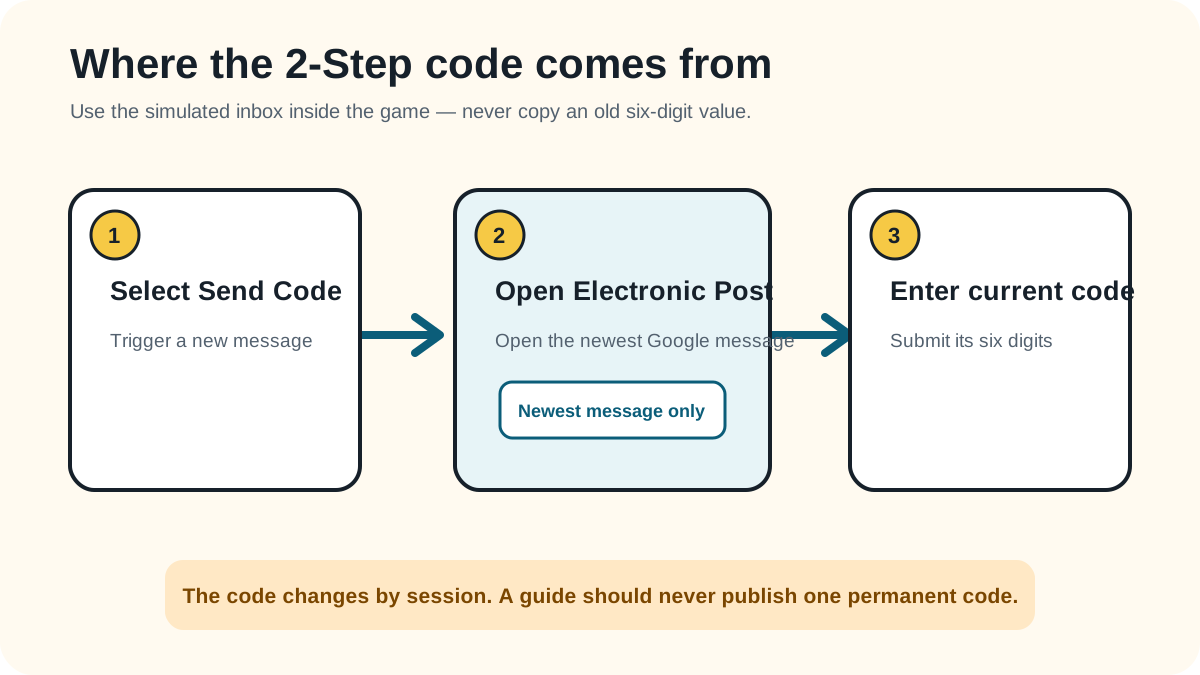
Request a code in the verification tab, read the newest Google message in the simulated Electronic Post inbox, and enter the code shown in your current run.
The form says the entered code is the right one and then advances away from the 2-Step Verification method.
Retry the method itself first. These failure checks stay within what the reviewed gameplay can support.
You copied an old or session-specific code instead of the newest Google message.
One or more digits were entered out of order.
You stayed on the verification tab and did not switch to Electronic Post after requesting the code.
Reviewed 2026-08-23 · action 00:01:26–00:01:36
The send-code prompt, newly arrived Google message, code entry, correct-code feedback, and transition are visible.
Source footage was reviewed locally and is not republished here. Skip was not used. Game version was not displayed. An independent replay test is still pending.
Reviewed by: TheLoginGame.wiki Editorial Team
Frame-by-frame gameplay review showing the prompt, player action, and explicit success state. No Skip was used as evidence.
See something different in the current game? Report a correction with the page URL, game version when known, and creator-owned evidence.
Anonymous feedback helps prioritize which verified guide needs another replay check.
It appears in the game's simulated Electronic Post inbox. Switch to that browser tab and use the newest message from Google.
Do not assume so. The safe method is to request and read the code displayed for the current session rather than copying digits from another player's run.
Check that you used the newest Google message, copied all six digits in order, and returned to the same verification prompt that sent the code.