
What You Need to Do
Treat the simulated browser check as a drag control, not a normal button. Keep the pointer held on the handle until it reaches the far-right end.
Drag the round handle on the simulated browser-check slider all the way from left to right. Hold the pointer down until it reaches 100% and the panel says Verification successful. If the drag is not accepted, reset or retry this level's slider; the recording does not show that the whole run must be restarted.
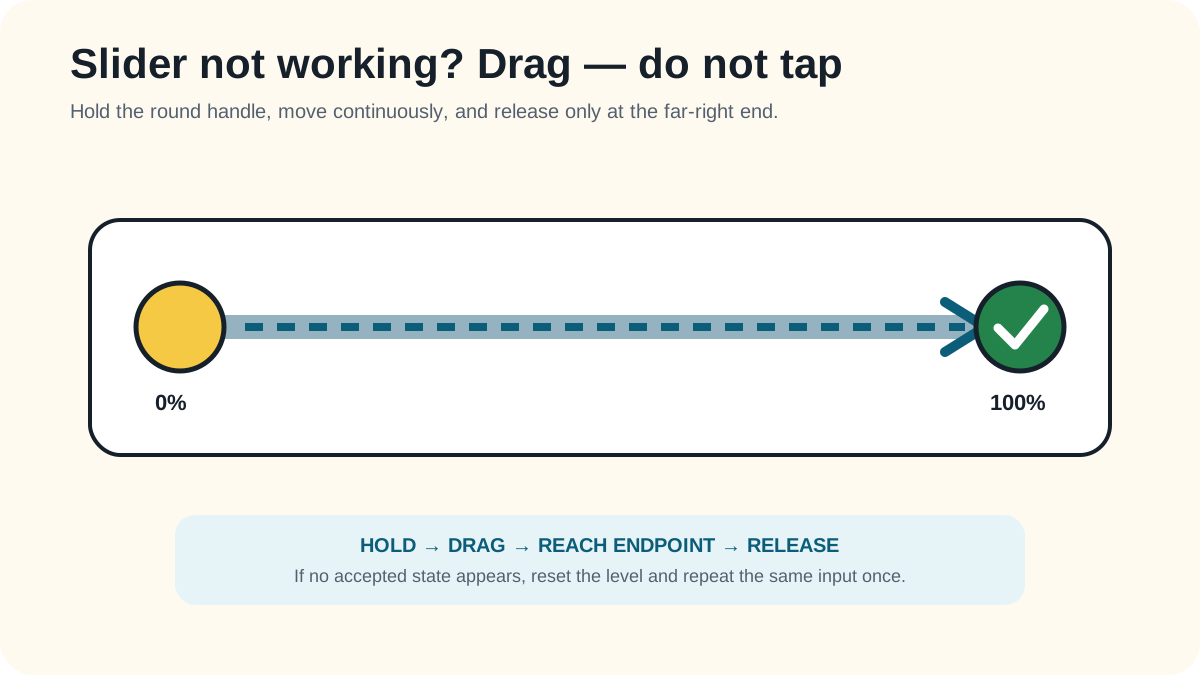
Treat the simulated browser check as a drag control, not a normal button. Keep the pointer held on the handle until it reaches the far-right end.
The slider reaches 100%, the panel says Verification successful, and the game returns to the login-method list.
Retry the method itself first. These failure checks stay within what the reviewed gameplay can support.
The pointer begins beside the handle instead of on it.
You release before the handle reaches the far-right end.
You click the track once rather than holding and dragging the handle.
Reviewed 2026-08-23 · action 00:00:36–00:00:46
The zero-percent prompt, full drag, 100% success panel, and return transition are visible.
Source footage was reviewed locally and is not republished here. Skip was not used. Game version was not displayed. An independent replay test is still pending.
Reviewed by: TheLoginGame.wiki Editorial Team
Frame-by-frame gameplay review showing the prompt, player action, and explicit success state. No Skip was used as evidence.
See something different in the current game? Report a correction with the page URL, game version when known, and creator-owned evidence.
Anonymous feedback helps prioritize which verified guide needs another replay check.
Drag it. Start on the round handle, keep holding, and move it all the way to the right until the meter reaches 100%.
The reviewed footage does not establish that a full-run restart is necessary. Retry or reset this level's slider first.
The panel turns green, reaches 100%, and displays Verification successful before the game advances.